linux 更换apt的源
sudo sed -i 's/archive.ubuntu.com/mirrors.ustc.edu.cn/g' /etc/apt/sources.list
将archive.ubuntu.com源换为mirrors.ustc.edu.cn 更换的文件是/etc/apt/sources.list
sudo sed -i 's/archive.ubuntu.com/mirrors.ustc.edu.cn/g' /etc/apt/sources.list
将archive.ubuntu.com源换为mirrors.ustc.edu.cn 更换的文件是/etc/apt/sources.list
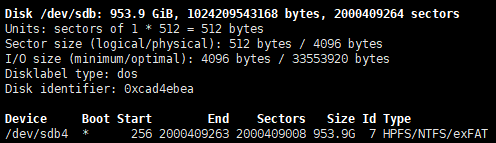
sudo fdisk -l :列出所有分区信息;找到自己插入到linux系统的硬盘上图从众多盘中找到自己的 看type 和大小。/dev/sdb 是盘的名字/dev/sdb4 是分区接下来是挂载s...
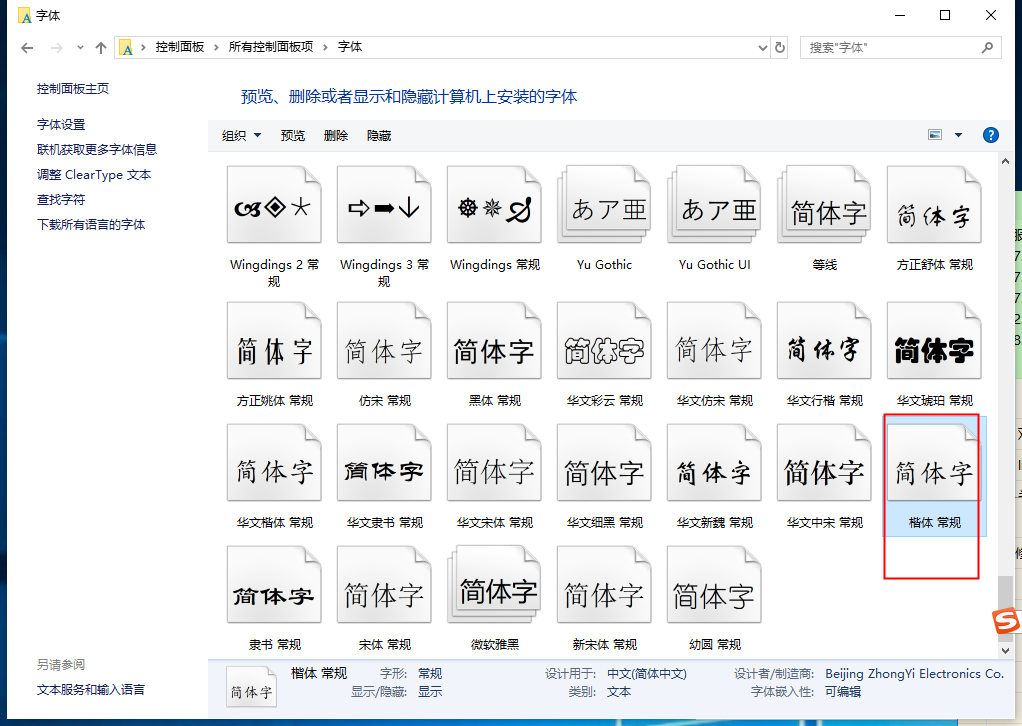
原因是因为zabbix没有支持中文的字体,在win找到一个中文字体文件名是:simkai.ttf把这个文件复制到服务器的/usr/share/zabbix/fonts 路径下然后修改zabbix的配置文件vim /us...
sed -i "s/enforcing/disabled/g" /etc/selinux/config...
添加用户和组groupadd testuseradd -r -g test test删除用户和组userdel testgroupdel test给文件添加用户组和用户归属chown -R test:test test_file...
vim /usr/lib/systemd/system/*.service修改了server的配置需要执行一下systemctl daemon-reload让系统重新加载以下配置,尤其是server中的配置地址更换了分区...
Linux 时间矫正sudo ntpdate -u ntp.api.bz第一使用可能提示ntpdate没安装,用以下命令安装即可ubuntu系统sudo apt install ntpdatecent...